
null Skip to main content

Need help? Call us!

Trusted by since 2005 Trusted by Professionals since 2005 nypd-logo chevron-emblem-logo homeland-security-logo pinkerton-logo pepsico-logo boeing-logo uss-logo (31,242)

How to Activate Your BrickHouse Security GPS Tracker

So, your new GPS tracker just arrived, exciting stuff! Whether you’re protecting a vehicle, keeping an eye on a loved one, or monitoring valuable equipment, you're probably eager to log in and see that first location blip on the map.

But before you dive into tracking, let’s talk activation.

Activation connects your GPS device to our tracking platform and the cellular network, enabling it to securely send real-time location data straight to your dashboard.

A common question we hear is: "How do I activate my BrickHouse GPS tracker?"

The answer depends on where you bought your device. We want to make getting started as simple as possible, so here's a quick guide to help you choose the right path.
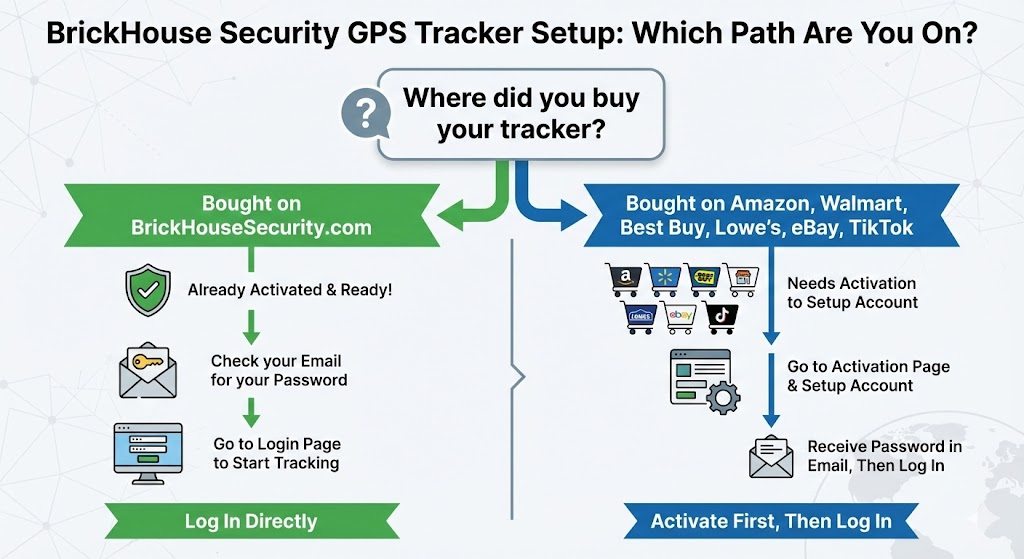
How do I activate my BrickHouse GPS tracker?

Path 1: I bought my tracker directly from BrickhouseSecurity.com

Great news: Your device is already pre-activated!

We handled the setup for you before shipping it out. You do not need to fill out any activation forms on our website.

Your Next Step: Just check your email inbox. We sent you a welcome email containing your username and temporary password. Grab those credentials and head straight to the login page to start tracking!
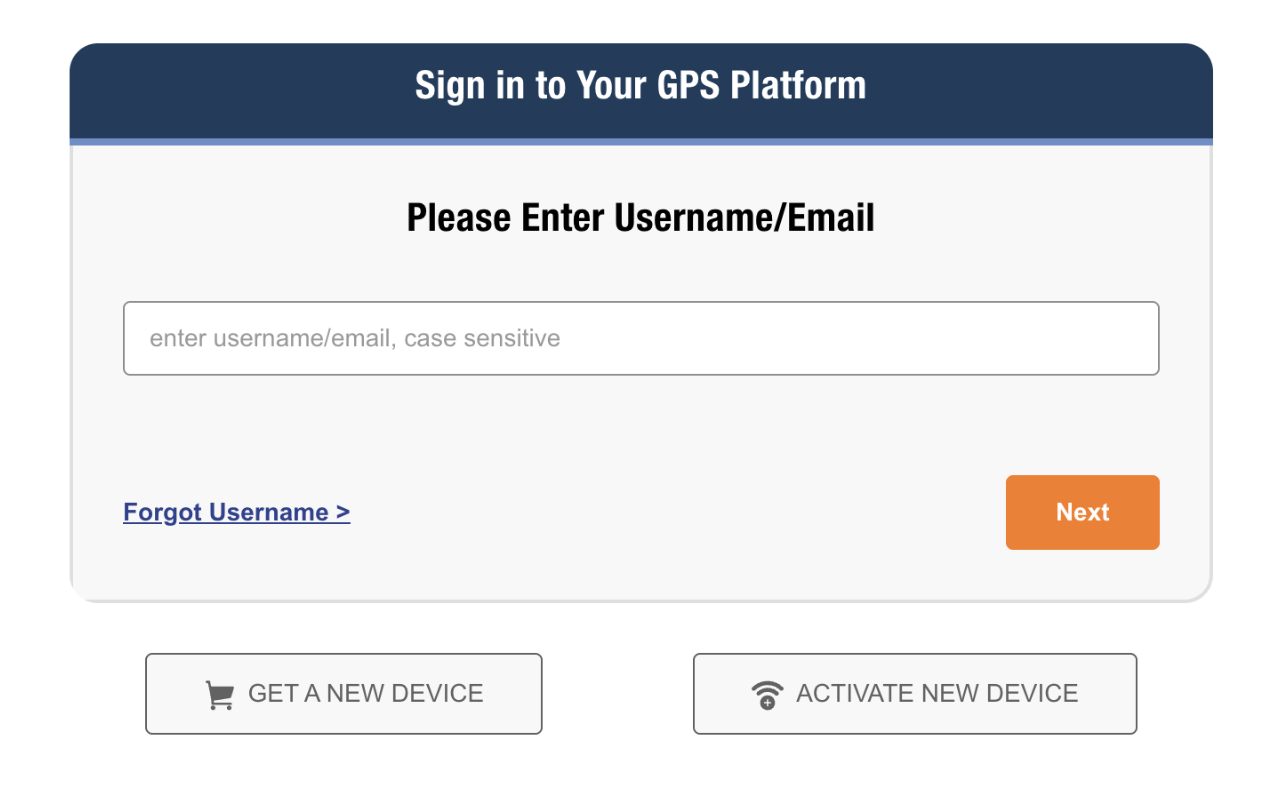
https://www.brickhousesecurity.com/login/gps

BrickhouseSecurity Activation

Path 2: I bought my tracker on Amazon, eBay, Walmart, or another retailer.

Welcome to the family! You need to complete a quick activation.

Because you bought through one of our retail partners, we need to get your account set up and connect your device’s SIM card to the network. Don't worry, it only takes a minute to activate your Brickhouse GPS tracker.

Your Next Step: Head over to our dedicated activation page to create your account and get online. 
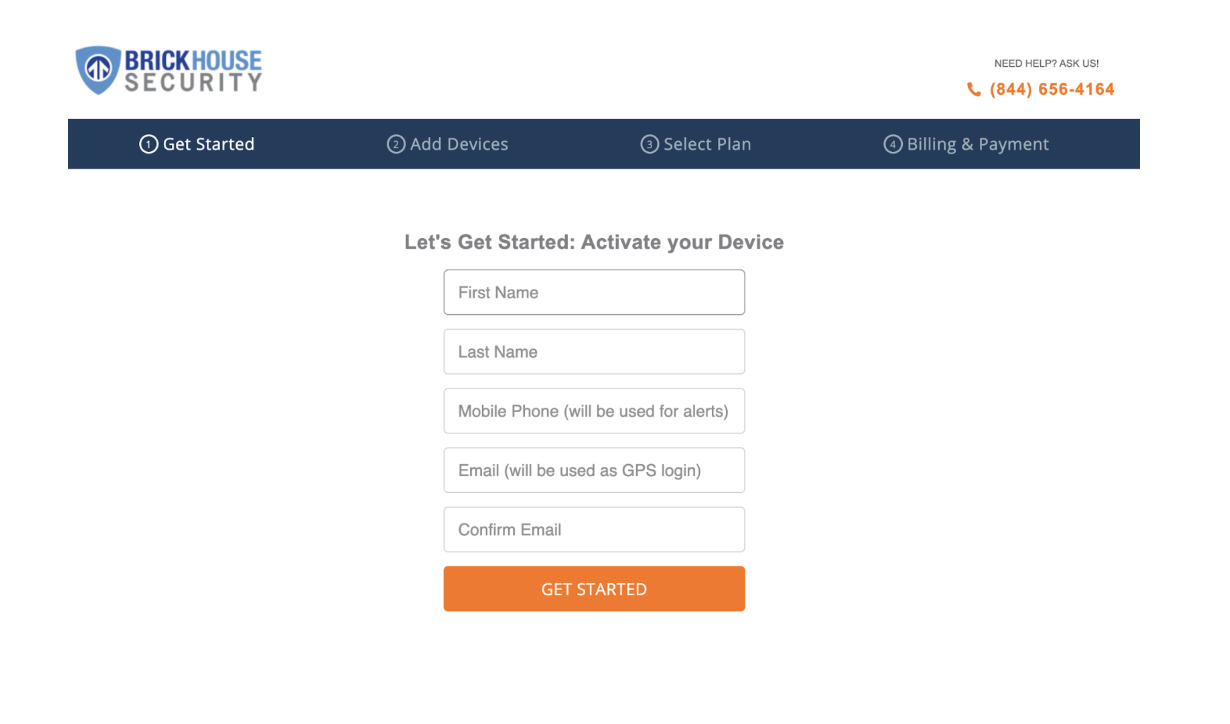
https://www.brickhousesecurity.com/activate

BrickhouseSecurity Activation for Amazon Ebay

Still Need Help? We’ve Got Your Back.

Whether you're setting up a tracker for a business, a child heading off to school, or a high-value shipment, we know how important it is that your GPS works right out of the box.

If you run into any snags during activation:


FAQ: BrickHouse Security GPS Activation

Why isn't my BrickHouse GPS tracker showing a location after activation?

After activation, your tracker may take a few minutes to send its first location. Make sure the device is powered on, fully charged, and placed near a window or outdoors to get a strong GPS and cellular signal. Thick walls, garages, or metal enclosures can delay the first signal.

How do I know if my BrickHouse GPS tracker is activated successfully?

Once activated, your GPS device will appear in your tracking dashboard (web or mobile app) with its name, battery level, and location. You’ll know it’s working if you see a live map with your device’s status and movements. No data showing? Try restarting the device and placing it outside for a stronger signal.

Do I need to install a SIM card before activating my GPS tracker?

No need, all BrickHouse Security GPS trackers come with an embedded SIM card pre-installed. If you bought your tracker from BrickHouseSecurity.com, it’s already connected. If purchased from a third-party retailer, the SIM will be activated during your setup process on our activation page.

Is there a way to test my GPS tracker after setup?

Yes! A simple test is to walk or drive a short distance with the tracker, then check your dashboard. You should see the route or updated location appear within moments.

Do I need to activate every GPS tracker separately if I ordered multiple devices?

Yes, each BrickHouse GPS tracker requires individual activation if you purchased it through a third-party retailer. However, if you ordered multiple trackers directly from BrickHouseSecurity.com, they’ll arrive pre-activated and linked to your account. Just log in to see them all listed.

Posted by Todd Morris on Jan 23rd 2026

Todd Morris

Todd Morris

Todd Morris is the Founder and CEO of BrickHouse Security, a leader in GPS tracking and security solutions since 2005. Featured on the Inc 5000 list, Todd has steered the company from its inception, applying expertise developed at Apple, Adobe, and MapQuest to deliver innovative, reliable solutions for both businesses and consumers. Recognized as an authority in the GPS tracking industry, Todd regularly contributes insights to major news programs. His practical approach includes using his sons as beta testers for products, from stroller tours to monitoring teenage driving, ensuring BrickHouse’s offerings are user-friendly and effective. This hands-on testing reflects Todd’s commitment to real-world application and safety.