



Support: A Simpler Way to Reset Your BPS Password
Forgetting a password happens to everyone. Getting back into your account shouldn't feel like a chore, especially when you just want to check on the people and things you care about.
We heard from many of you that resetting your BPS password took too many steps. So we rebuilt it. Instead of typing in a code, you now get an email with a simple link. Click it, choose a new password, and you're back in.
This guide walks you through the new reset, what's changed, and a few tips to make it quick and easy.
What's New in the BPS Password Reset
The new reset is built around one idea: fewer steps between you and your account.
- A link instead of a code: Your reset email now includes a Recover Password link. No code to copy or type.
- Works from the app or the web: Start your reset wherever you are. The steps are the same either way.
- Emails you'll recognize: Every reset and confirmation email now comes clearly from BrickHouse Security.
- Your account stays protected: If you use two-factor authentication (2FA), it still guards your sign-in after the reset.
How to Reset Your BPS Password
The whole process takes about a minute. Here's how it works:
- On the BPS sign-in screen, tap or click Forgot password?
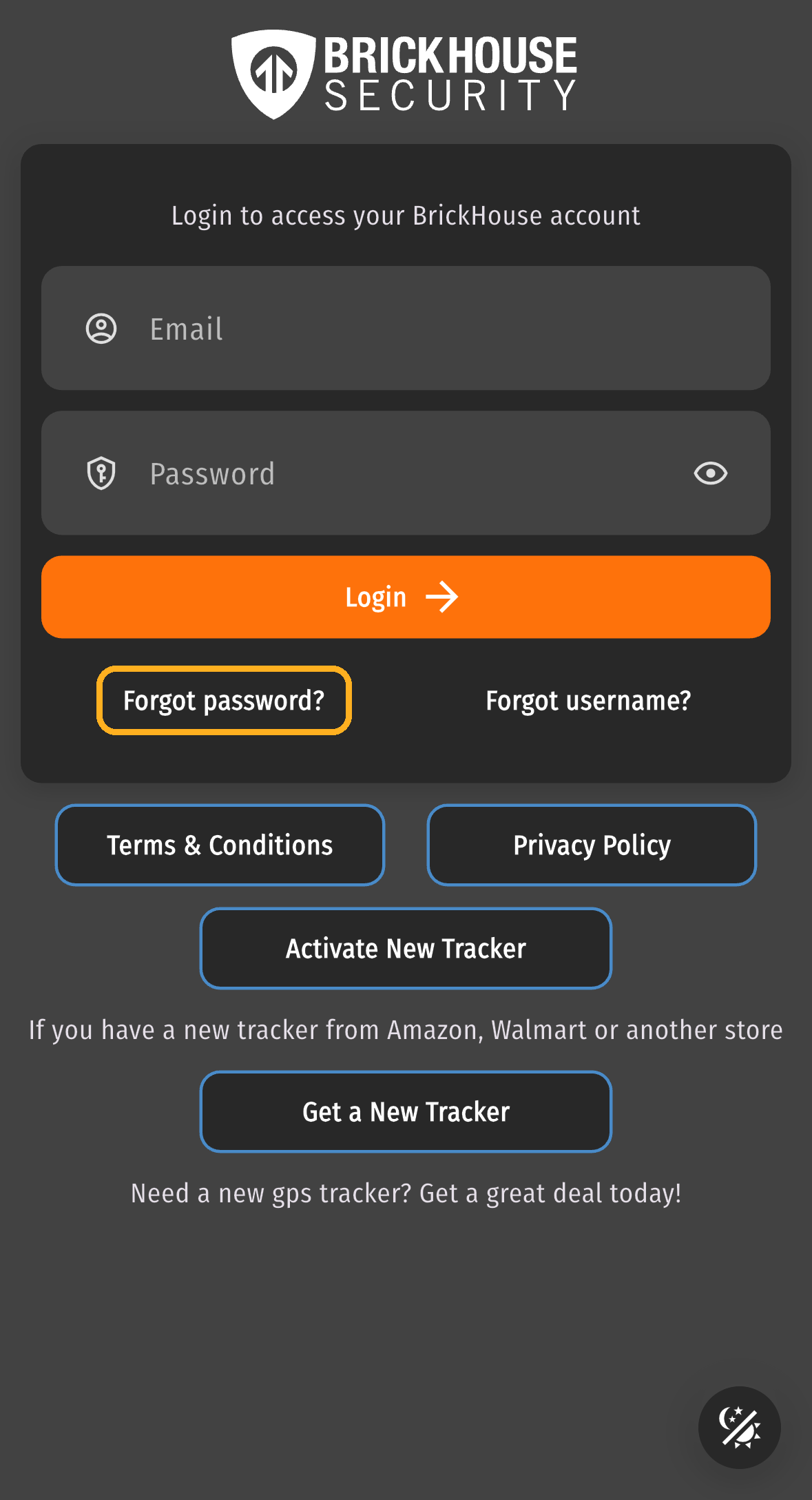
- Enter the username or email address on your account.
- You'll see a message that your recovery email is on its way.
- Open the email from BrickHouse Security and click Recover Password.
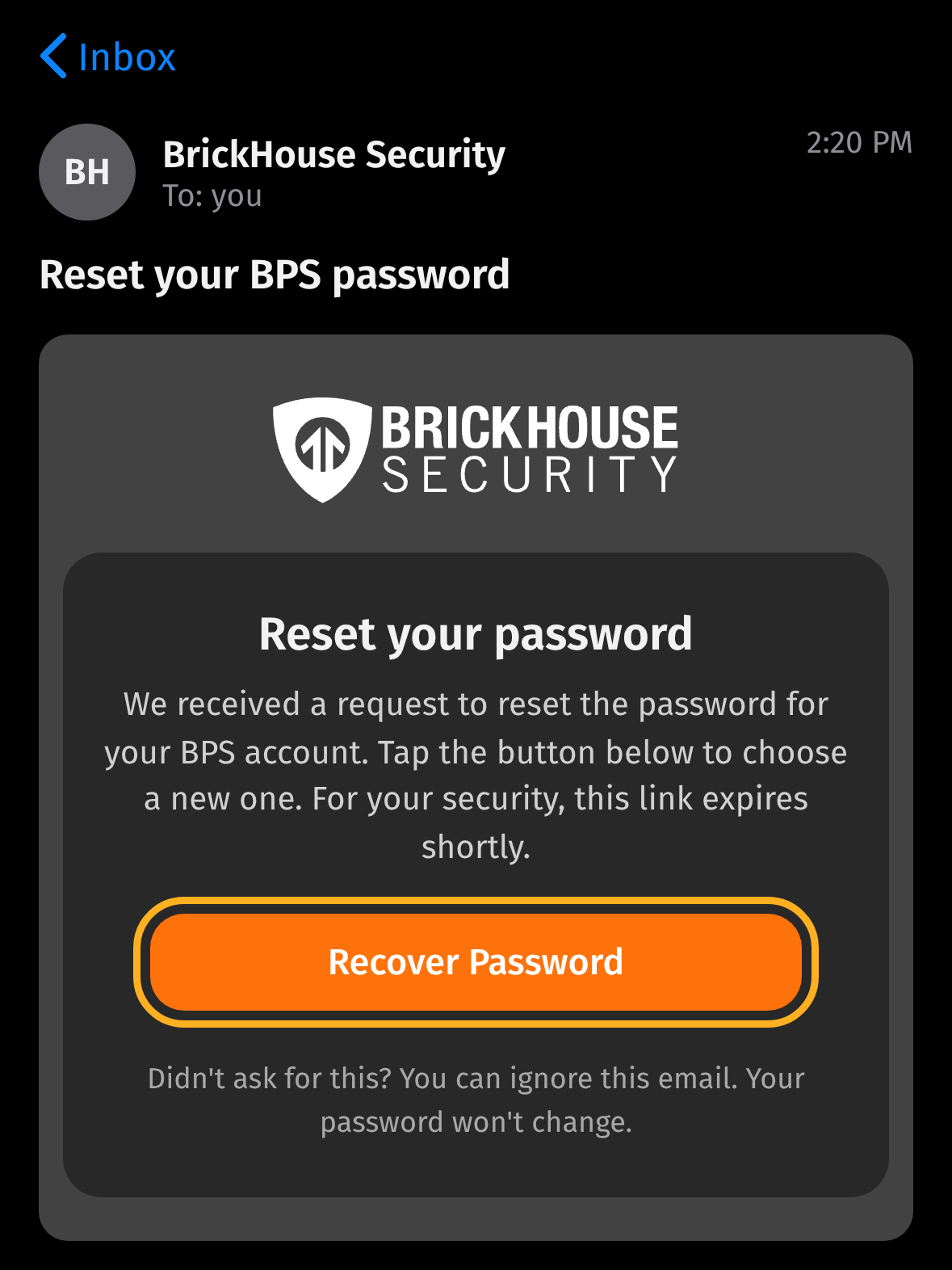
- A secure page opens in your web browser. This happens even if you started in the app.
- Enter your new password twice and save it.
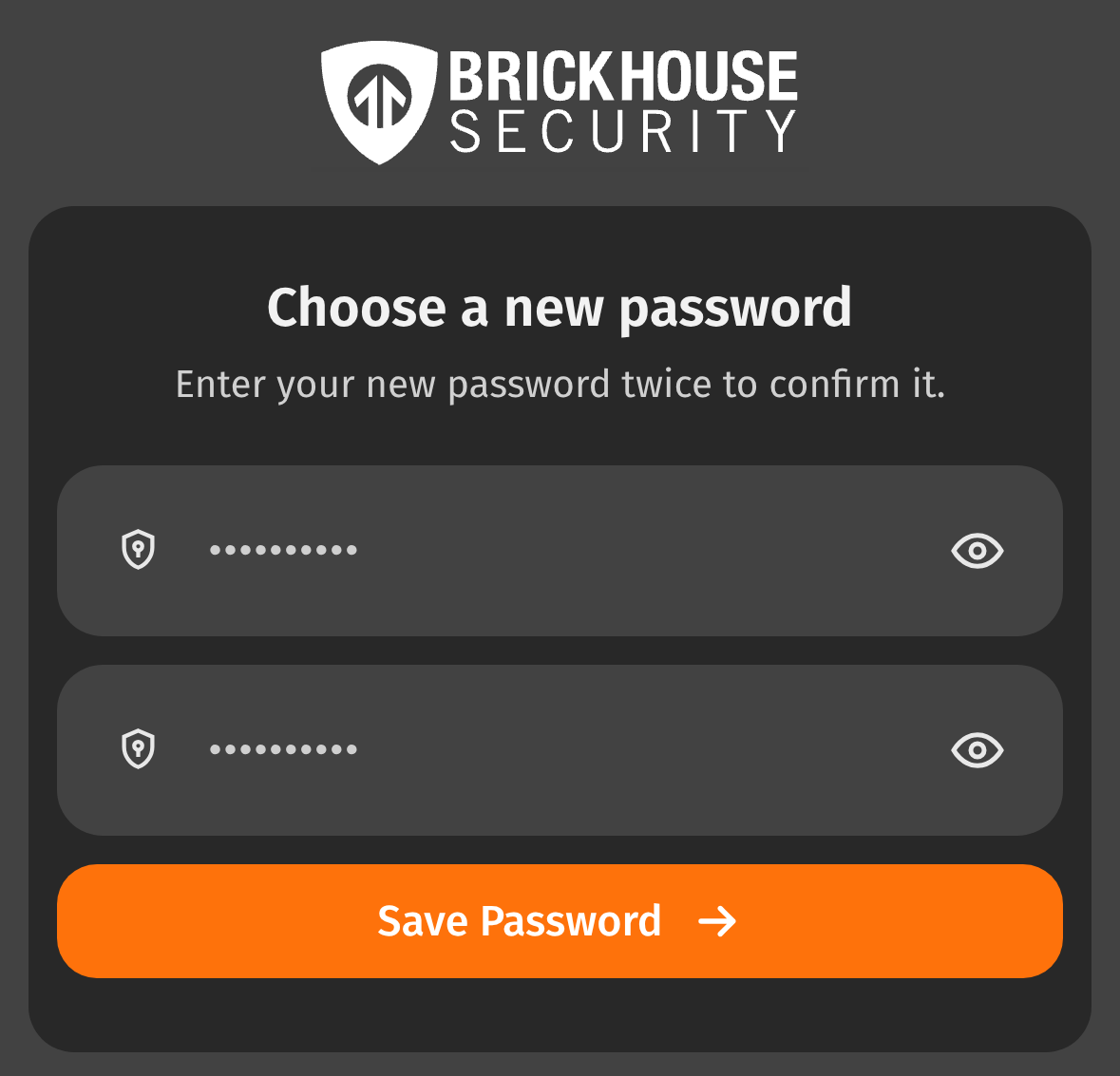
- You're signed in and taken straight to your map. We'll also send a quick email confirming the change.
For your security, the reset link only works for a short time. Use it soon after it arrives. If it expires, just start again from step 1 and a fresh link will be on its way.
If You Use Two-Factor Authentication
Clicking the link in your email confirms it's really you, so you won't need a 2FA code to reset your password.
Once your new password is saved, BPS will ask for your 2FA code before taking you to the map. That way, 2FA still protects the front door to your account.
Started in the App?
The reset link opens in your web browser. When you're done, close the browser tab, open the BPS app, and sign in with your new password.
Forgot Your Password, or Just Want to Change It?
There are two different ways to update your password, depending on whether you can sign in. Here's a quick look at which one fits.
| Your Situation | Where to Start | What You'll Receive |
|---|---|---|
| I forgot my password | Forgot password? on the sign-in screen | An email with a Recover Password link |
| I'm signed in and want a new password | Change Password in your account settings | An email with a one-time code to enter |
Tips for a Smooth Reset
A few small habits make the reset even faster:
- Check your spam or junk folder: If the email hasn't arrived after a minute or two, it may have been filtered.
- Use the newest email: If you asked for more than one reset, only the most recent link will work.
- Click the link right away: The link expires quickly to keep your account safe.
- Choose a password you'll remember: A password manager can store it securely for you.
Conclusion
Your account protects your peace of mind, so getting back into it should be simple. With the new BPS password reset, it is: one email, one link, one new password.
If you ever get stuck, our team is here to help by phone, text, or email. You've got this. And we've got you.
FAQ
Need a Hand With Your Account?
Call or Text (800) 654-7966
Mar 18th 2024