




Best GPS Tracker for Teen Drivers
When your teen gets behind the wheel, your phone becomes a lifeline. The right GPS tracker turns that anxious waiting into actionable data, real time location updates, speed alerts, and driving behavior reports that help you coach safer habits.
This guide breaks down the best GPS trackers for teen drivers in 2026, comparing features, costs, and practical considerations so you can make an informed choice.
Why Use a GPS Tracker for Teen Drivers?
The numbers tell a sobering story. Drivers aged 16-19 account for approximately 8.5% of all fatal crashes despite representing only 6.5% of licensed drivers, according to National Highway Traffic Safety Administration data. Inexperience, risk taking behaviors, and peer pressure combine to make those first years behind the wheel the most dangerous.
A GPS vehicle tracker transforms gut feelings into clear facts. Instead of wondering whether your teen is speeding on the highway or taking detours through unfamiliar neighborhoods, you get data: actual speeds, routes taken, and timestamps. Real time location updates show you exactly where the car is, while behavior alerts flag concerning patterns before they become dangerous habits.
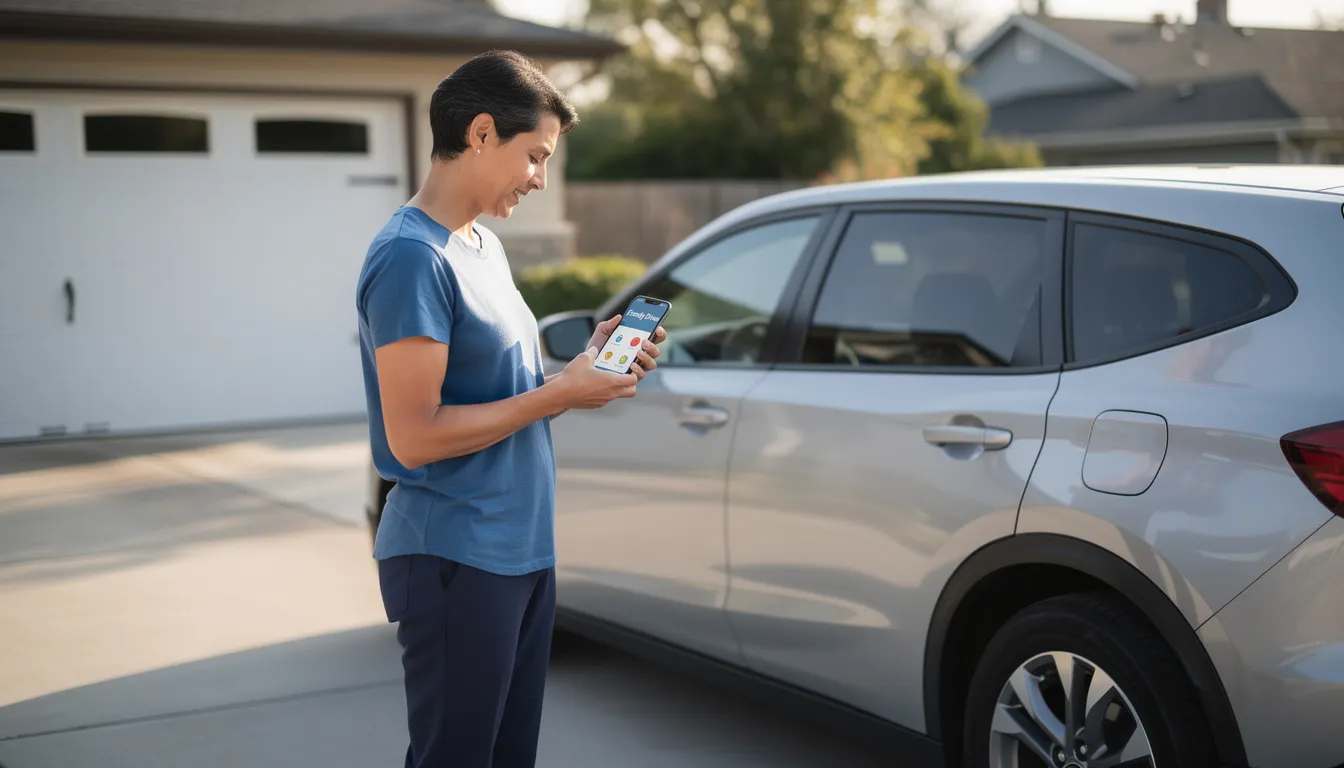
Here’s what monitoring driving habits actually looks like in practice:
|
Alert Type |
What It Catches |
Why It Matters |
|---|---|---|
|
Speeding |
Driving over set thresholds (e.g., 10+ mph over limit) |
High speed increases crash severity |
|
Hard braking |
Sudden deceleration events |
Indicates tailgating or distraction |
|
Rapid acceleration |
Quick speed increases |
Suggests aggressive driving |
|
Geofence exit |
Leaving school, home, or approved zones |
Catches unauthorized detours |
|
Curfew violation |
Driving after designated hours |
Late-night driving carries higher risk |
When teenage drivers know their driving activity is being tracked and discussed, many drive more cautiously. Research consistently shows that awareness of monitoring reduces risky behavior, particularly in that critical first 12 months after getting a license.
Types of GPS Trackers for Teen Drivers
GPS trackers differ mainly by how they get power and where they install. This affects visibility, stealth, and the features available to you.
OBD-II Plug-In Trackers
Devices like Lightning GPS Plug-in Car Tracker plug directly into the OBD-II diagnostic port found in virtually all vehicles made after 1996. You’ll find this port under the dashboard, usually near the steering column. Once connected, the device draws power from the vehicle and begins transmitting real-time location data immediately.
Advantages:
- No tools required for installation
- Sends real-time location updates through the Lightning GPS dashboard and mobile app
- Easy to transfer between compatible vehicles
- Draws power from the vehicle, no battery to charge
- Can read vehicle diagnostics like battery health, fuel level, and check-engine codes
- Easy to move between vehicles
Disadvantages:
- Visible to anyone who looks under the dash
- Can be unplugged, though unplug alerts are available
Hardwired Trackers
Wired GPS Tracker connects directly to the vehicle’s electrical system, typically installed behind the dashboard and tied to constant 12V power. Once installed, it runs continuously without requiring battery charging and remains hidden for discreet, long-term vehicle monitoring.
Advantages:
- Very difficult for a teen to find or disable
- Ideal for long-term, discreet monitoring
- No battery concerns
- Direct hardwired connection provides continuous power with no charging required
- Hidden installation behind the dashboard supports discreet tracking
- Ideal for long-term, maintenance-free vehicle monitoring
Disadvantages:
- Not easily transferable between vehicles
- Removal takes more time compared to plug-in models
Battery-Powered Portable Trackers
Devices like Lightning GPS Mini Tracker, Spytec GL300 and the BrickHouse Spark Nano 7, use internal rechargeable batteries and can be placed almost anywhere in or on the vehicle for flexible, portable tracking.
Advantages:
- Flexible placement, under a seat, in the trunk, magnet-mounted on the frame
- Easy to move between vehicles or use temporarily
- Can be completely hidden from the driver
Disadvantages:
- Requires regular charging
- Must be retrieved for charging or battery swap
What About Apple AirTag or Tile?
Bluetooth finder devices are not true GPS trackers for teen drivers. They don’t provide continuous real time updates, they rely on nearby iPhones or the Tile network to report location. They lack driving behavior alerts, speed monitoring, and trip history. They’re fine for finding lost keys, but inadequate for monitoring driving safely.
For most parents keeping tabs on a newly licensed teen, OBD-II plug-in or portable magnet-mount devices offer the best balance of ease, features, and control.
Key Features to Look For in a Teen GPS Tracker
Think of this section as your checklist when comparing devices. Not every tracker offers every feature, and the best car tracking device for your family depends on which capabilities matter most.
Real-Time Location Updates
For teen drivers, update intervals matter. Look for devices that refresh location every 10-30 seconds while the vehicle is moving. Faster updates help you:
- Verify routes in real time
- Respond quickly in emergencies
- Confirm arrival at destinations within minutes
Trackers with 1-minute or longer intervals may leave gaps that matter when your teen is on the move.
Driving Behavior Alerts
The ability to receive alerts for specific events separates a basic locator from a true teen driving tool. Essential alerts include:
- Speeding above customizable thresholds
- Harsh braking events
- Rapid acceleration
These alerts let you identify areas where coaching is needed before bad habits become ingrained.
Geofencing
Geofencing creates virtual boundaries that trigger notifications when the vehicle enters or exits. Set up zones for:
- Home
- School
- Work
- “No-go” areas (certain neighborhoods, highways, etc.)
Curfew alerts notify you when the car moves during restricted hours, configure different rules for school nights versus weekends.
Trip History and Reports
Look for at least 90 days of trip history by default. Quality apps provide:
- Timeline-style maps showing routes
- Start and end times for each trip
- Maximum speeds reached
- Total miles driven
Weekly or monthly driving reports help you spot patterns over time rather than reacting to single incidents.
Notifications and Alert Delivery
Customize how and when you receive alerts through:
- Push notifications to your phone
- SMS text messages
- Email alerts
Tamper alerts are critical, you should be notified immediately if the device is unplugged or removed.
Battery Life and Power Management
For portable units, battery life varies dramatically based on update frequency:
|
Update Interval |
Typical Battery Life |
|---|---|
|
3-10 seconds |
1-3 days |
|
30 seconds |
3-7 days |
|
1-5 minutes |
1-3 weeks |
OBD-II and hardwired devices draw power from the vehicle, but quality units include sleep modes to prevent draining the car battery when parked.
Privacy and Security
Your teen’s location data needs protection. Look for:
- Data encryption in transit and at rest
- Secure login with two-factor authentication options
- Clear data retention policies
- Controls over who can access trip data (parents, co-parents, teens themselves)
Best GPS Trackers for Teen Drivers in 2026
These mini-reviews focus on what matters specifically for parents monitoring teen drivers, not generic feature lists.
Lightning GPS Plug-in Car Tracker (Best Plug-In Option for Teen Drivers)

The Lightning GPS Plug-in Car Tracker connects directly to the vehicle’s OBD-II port and begins transmitting real-time location data immediately after installation. In recent hands-on evaluations, plug-in trackers like this consistently deliver fast updates and simple usability, which makes them practical for family use.
Teen-Specific Features:
- Real-time GPS tracking with consistent location updates while driving
- Speed alerts and movement notifications to monitor unsafe driving behavior
- Geofencing with instant alerts when the vehicle enters or leaves set areas
- Unplug notifications if the device is removed from the OBD port
- Trip history with route playback through the Lightning GPS dashboard
Pricing: Device cost varies, plus a required monthly subscription for real-time tracking services.
Why It Works for Teens: Setup takes less than a minute. Parents can log in from the mobile app and quickly review routes, check speeds, and monitor driving habits without complicated reports. The unplug alert adds accountability, and the interface is simple enough that co-parents can both access it without confusion.
Considerations: The device is visible under the dashboard. A determined teen could unplug it, although the system will send an alert when that happens. It also requires an OBD-II compatible vehicle and an active subscription.
Lightning GPS Easy Wired GPS Tracker (Best Wired GPS Tracker)
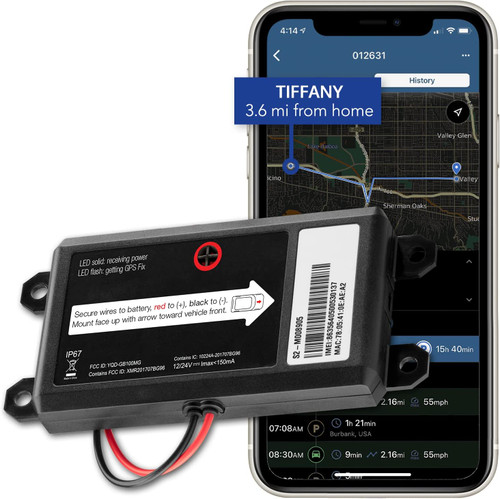
When your teen hits the road, you want to focus on their freedom, not their battery life. The Lightning GPS Easy Wired Tracker is our premier "set-it-and-forget-it" solution. By connecting directly to your vehicle's power, it provides a permanent, unbreakable link between you and your young driver—no charging cables, no downtime, and no guesswork.
Teen-Specific Features
- Continuous Power, Zero Effort: Hardwired directly to the vehicle’s battery. You’ll never have to worry about the device dying or your teen "forgetting" to plug it in.
- Tamper-Proof Discretion: Designed to be tucked away and securely installed. It stays out of sight and out of mind, ensuring the connection remains active.
- Instant Safety Alerts: Set custom "Digital Fences." Get a text the second they arrive at school, or an alert if the car exceeds a speed limit you’ve set.
- Detailed Trip History: Review everywhere they’ve been, where they parked, and how long they stayed with an easy-to-use map interface on your phone or desktop.
Why It Works for Teens: It’s natural to worry when your teen takes the keys—at BrickHouse, we’ve been helping parents navigate this milestone for over 20 years. This tracker works because it removes the "human error" of technology. Because it’s permanently powered, it’s always ready when they are. It allows you to trust but verify, giving them the independence they crave while giving you the calm confidence that you’re only a tap away if they need help.
Considerations
- Seamless Installation: While the "Easy Wired" setup is straightforward, we recommend a quick visit to a local mechanic or car audio shop for a professional, hidden install.
- The Safety Conversation: We believe GPS is a tool for coaching, not "catching." We recommend telling your teen the tracker is there—it’s a great way to start a conversation about safe driving habits and mutual trust.
- Expert Support: If you have questions during setup, our US-based team of real humans is here to walk you through it. We don't just sell boxes; we provide peace of mind.
Lightning GPS Mini Tracker (Best Portable Option for Teen Monitoring)

The Lightning GPS Mini Tracker uses an internal rechargeable battery instead of plugging into the OBD-II port. You can place it discreetly inside the vehicle, in a backpack, or anywhere inside the cabin without visible wiring. During real-world testing, portable trackers like this work best when flexibility and concealment matter more than permanent installation.
Teen-Specific Features:
- Real-time GPS tracking with live map access through the Lightning GPS dashboard
- Speed alerts and movement notifications
- Geofencing with instant entry and exit alerts
- Compact size for discreet placement inside the vehicle
- Trip history with route review for driving analysis
Pricing: Device cost varies, plus a required monthly subscription for real-time tracking services.
Why It Works for Teens: This option is useful when you don’t want a visible device under the dashboard. It can’t be easily spotted at a glance, which reduces the chances of it being removed. Parents can still monitor routes, speeds, and location history through the same dashboard interface.
Considerations: The device requires periodic charging, depending on update frequency and driving activity. It’s not continuously powered like a plug-in tracker, so battery management becomes part of ownership.
BrickHouse Spark Nano 7
A compact battery powered GPS tracker with optional magnetic case, designed for versatile placement in or on the vehicle.
Teen-Specific Features:
- Real time updates with customizable intervals
- Geofence alerts
- Optional SOS/panic button functionality
- Durable construction
- Works with or without magnetic mounting
Pricing: Moderate device cost; monthly subscription required
Why It Works for Teens: The flexibility to place it anywhere, glove box, under a seat, trunk, or magnetically attached, gives parents options. The SOS feature can provide an extra layer of safety for teens in unfamiliar situations.
Considerations: Like other battery powered devices, requires periodic charging.
Spytec GL300
A durable, weather-resistant portable tracker suitable for both family monitoring and fleet use.
Teen-Specific Features:
- Reliable real time tracking
- Fast geofence alerts
- IPX5 water resistance
- Battery life measured in days to weeks
- Optional extended battery cases for longer deployment
Pricing: ~$22-28 device cost; monthly subscription required
Why It Works for Teens: Dependable performance and a proven track record. The Spytec GL300 handles rain, heat, and rough handling without issues. Parents who want “set and forget” reliability appreciate its consistency.
Considerations: Less focused on teen-specific coaching features than OBD-II options; primarily a locator rather than a driving analyzer.
How GPS Trackers for Teen Drivers Work
Understanding the technology helps you troubleshoot issues and set realistic expectations about what these devices can and cannot do.
At the core, a GPS device receives signals from satellites orbiting Earth, typically 4 or more satellites simultaneously to calculate latitude, longitude, and speed. That position data gets transmitted via cellular networks (4G LTE in 2026) to secure servers, which your app then accesses to display the vehicle’s location on a map.
The Data Flow
- GPS receiver: In the tracker picks up GPS signals from satellites
- Cellular modem: Sends position data to the tracking company’s servers
- Cloud servers: Process the data, detect events, and store trip history
- Mobile app: On your phone retrieves and displays the information
Update intervals determine how often this cycle repeats. A 15-second interval means 4 position updates per minute while driving. A 1-minute interval provides less granular data but uses less battery and cellular data.
When GPS Signals Weaken
GPS accuracy drops in parking garages, dense urban canyons, and heavily wooded areas. Quality trackers compensate by using:
- Wi-Fi positioning (detecting nearby networks)
- Cell tower triangulation
- Last known position with timestamp
Once the vehicle moves to open sky, the tracker quickly locks onto satellites again and refines its position to typical accuracy of 8-15 feet.
Detecting Driving Behavior
Accelerometers and gyroscopes inside the tracker detect:
- Harsh braking – sudden deceleration beyond normal thresholds
- Rapid acceleration – quick speed increases
- Sharp cornering – lateral G-forces indicating aggressive turns
OBD-II trackers can also read engine data directly, providing more accurate speed readings and additional information like RPM and fuel consumption.
Offline Logging
Most quality devices store data temporarily when cellular coverage drops, rural highways, remote areas, underground parking. Once signal returns, the stored positions upload automatically. This means you’ll still see complete trip history even if real time tracking briefly paused.
Safety, Coaching, and Communication with Your Teen
A GPS tracker is a tool, not a substitute for parenting. How you introduce and use it shapes whether it strengthens or strains your relationship with your teen.
Be Transparent
The most effective approach treats tracking as a safety measure, not surveillance. Before installing the tracker:
- Explain why you’re using it (safety, emergency response, insurance considerations)
- Show your teen the app and how alerts work
- Let them know what you’re monitoring and why
This transparency reduces the likelihood they’ll try to disable the device and frames tracking as something you’re doing with them, not to them.
Use Data for Coaching
Review driving reports weekly, not daily. Look for patterns:
- Multiple harsh braking events suggest tailgating or distraction
- Consistent speeding on certain roads indicates where to focus discussion
- Late-night trips during curfew hours require immediate conversation
Focus on improvement over time. Celebrate when the data shows fewer incidents week-over-week.

Positive Reinforcement Works
Instead of only addressing problems, acknowledge good behavior:
- “I noticed no speeding alerts this week, nice job”
- “Your trip to practice showed you’re staying at reasonable speeds on that highway”
- “The data shows you’re getting more comfortable with braking smoothly”
Costs, Subscriptions, and Insurance Considerations
Almost all real time GPS trackers require ongoing service fees because they use cellular data networks. Factor this into your decision from the start.
Subscription Ranges
Typical 2026 pricing falls into these ranges:
|
Service Level |
Monthly Cost |
What’s Included |
|---|---|---|
|
Basic |
$5-10 |
30-60 second updates, limited geofences, 30-day history |
|
Standard |
$10-20 |
15-30 second updates, more geofences, 90-day history |
|
Premium |
$20-30 |
Fastest updates, unlimited geofences, extended history, international options |
What to Check Before Subscribing
- Update frequency included in base plan
- Number of geofences allowed
- Trip history retention length
- Multi-vehicle support (critical for families with multiple teen drivers)
- International roaming costs if traveling outside the U.S.
Insurance Benefits
Some insurers offer safe driving discounts when parents share GPS or telematics data showing consistent, responsible driving. Progressive and similar companies have offered up to 20% premium reductions for verified safe teen driving.
Before opting in:
- Read privacy and data-sharing terms from both the tracker provider and the insurer
- Understand what data will be shared and for how long
- Decide whether the discount justifies sharing detailed driving logs beyond your family
Hardware Costs
|
Tracker Type |
Typical Device Cost |
|---|---|
|
OBD-II Plug-In |
$70-120 |
|
Battery-Powered Portable |
$20-80 |
|
Hardwired (device only) |
$50-150 |
|
Professional Installation |
$50-150 additional |
The cheapest option isn’t always best. A $20 tracker that lacks behavior alerts or has unreliable apps may not give you the safety tools you need for monitoring a teen.
Legal, Ethical, and Privacy Issues When Tracking Teen Drivers
In most U.S. jurisdictions, parents can legally track vehicles they own or co-own. But laws and expectations around privacy still matter, especially as teens get older.
Legal Boundaries
You generally have the right to track:
- A car registered in your name
- A car you co-own with your teen
You may violate privacy, anti-stalking, or wiretapping laws if you track:
- A vehicle your teen owns outright (titled in their name)
- A friend’s car your teen borrows
- An ex-partner’s vehicle
When in doubt, consult local laws or an attorney.
Document Expectations
Even informal documentation helps. Consider writing down:
- Why you’re using the tracker
- What you’re monitoring (location, speed, curfew)
- How long you plan to use it
- What happens when your teen demonstrates safe driving habits
Having this conversation, and possibly getting your teen’s acknowledgment, reduces misunderstandings and builds trust.
Secure Access
Protecting the tracking data is essential:
- Use strong passwords on your tracker account
- Enable two-factor authentication when available
- Don’t share login credentials casually
Only authorized family members should view your teen’s location and driving history.
Adjusting Over Time
As your teen demonstrates responsibility:
- Reduce alert sensitivity
- Remove some geofences
- Extend curfew hours
- Eventually transition the tracker to backup emergency use rather than daily monitoring
This graduated approach teaches responsibility while maintaining a safety net.
How to Install and Set Up a Teen GPS Tracker
Getting started is straightforward for most devices. Here’s a practical walkthrough.
OBD-II Tracker Installation
- Locate the OBD-II port - Usually under the dashboard near the steering column, often covered by a small plastic panel
- Turn off the vehicle - Install with the engine off
- Plug in the device - The connector only fits one way
- Download the app - Available on iOS and Android
- Follow activation steps - Register the device using its serial number or QR code
- Verify connection - Start the car and confirm the app shows the vehicle’s location
Total time: 5-10 minutes.
Hardwired Tracker Installation
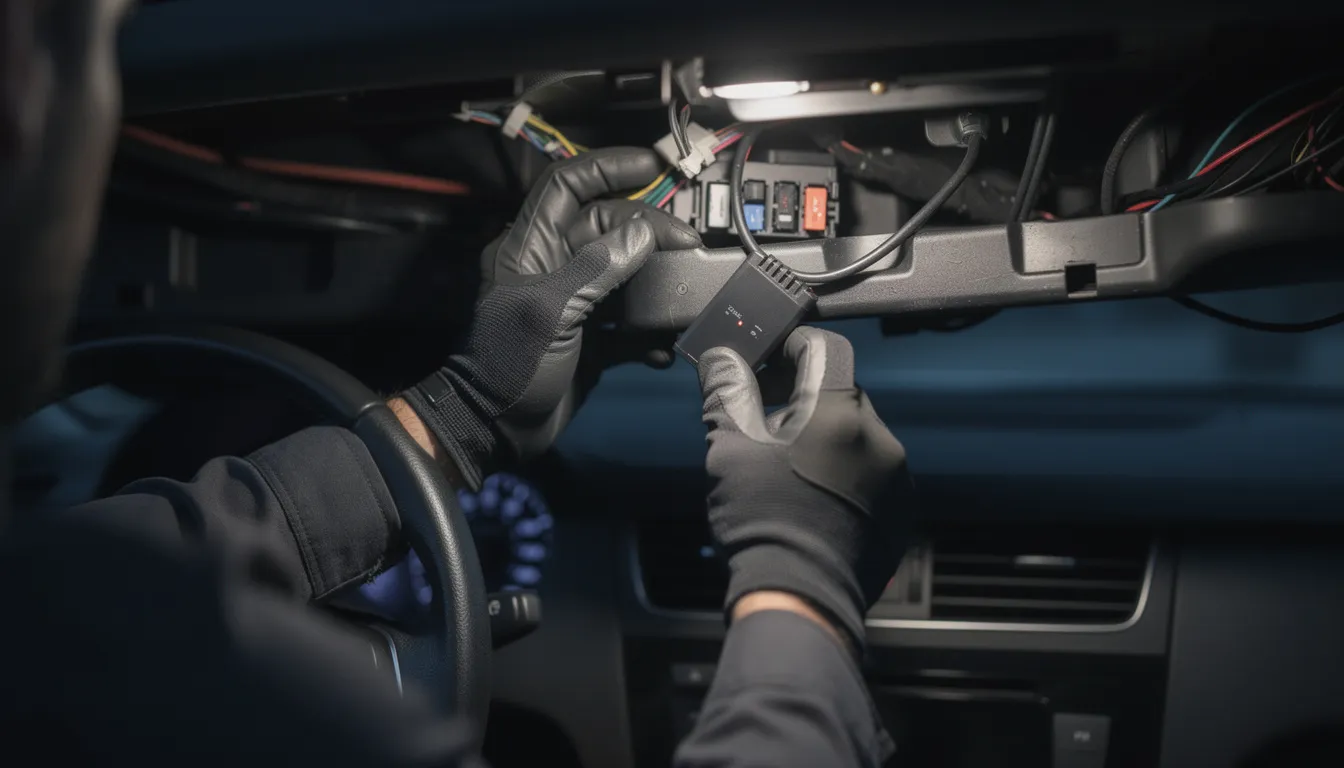
Most parents opt for professional installation with hardwired units. A technician will:
- Connect the tracker to constant 12V power (always on)
- Connect to ignition wire (knows when car is running)
- Mount the device securely behind the dashboard
- Install any external antennas if required
- Test all functions before returning the vehicle
Expect 30-50 minutes at an auto electronics shop.
Portable/Magnet-Mount Installation
- Fully charge the device - Before first use
- Choose placement - Options include:
- Under a seat
- In a trunk corner
- Magnetically attached to vehicle frame (if using magnetic case)
- Test signal strength - Take a short drive and verify the app receives location updates
- Note the battery indicator - Set a reminder to recharge based on expected life
Initial Configuration
Before your teen’s first solo drive:
- Set up geofences for home, school, work, and any no-go zones
- Configure speed thresholds appropriate to local speed limits
- Set curfew hours for weeknights and weekends
- Choose alert methods - push notifications, SMS, email
Test Run
Do a practice drive together:
- Drive to school or practice
- Trigger a speed alert intentionally (briefly exceeding threshold in a safe area)
- Cross a geofence boundary
- Show your teen how the app displays the trip
This builds familiarity and catches any placement or signal issues early.
Conclusion
The best GPS tracker for teen drivers in 2026 should give you reliable real-time tracking, clear driving alerts, and simple reporting without adding complexity.
OBD-II plug-in trackers make the most sense for most families because they install in minutes and draw power directly from the vehicle. Among them, the Lightning GPS Plug-in Car Tracker is the strongest overall choice. It delivers consistent real-time updates, speed and geofence alerts, trip history playback, and unplug notifications, all through an easy-to-use dashboard that makes weekly driving reviews simple.
Portable trackers offer flexible placement but require charging. Hardwired units work well for long-term, hidden installation. Still, for most parents who want quick setup, dependable monitoring, and accountability, the Lightning GPS Plug-in Car Tracker checks every box.
Use the data as a coaching tool, not a control tool. When handled transparently, tracking builds safer habits while giving you the confidence that comes from knowing exactly where your teen is on the road.
Frequently Asked Questions
Can I Track Multiple Teens or Cars with One Account?
Yes. Most platforms support several devices under one account with filters or labels to see each teen’s trips separately. This works well for families with multiple teen drivers.
Will the Tracker Drain My Car Battery?
OBD-II and hardwired units have low-draw sleep modes and are safe for daily-driven vehicles. If a car will sit unused for weeks, consider disconnecting the tracker or using a portable battery powered unit instead.
What If My Teen Unplugs or Removes the Tracker?
Quality devices send tamper alerts when disconnected. You’ll be notified immediately. For teens likely to unplug devices, consider hardwired installation or well-hidden portable trackers. Honest conversations about why you’re using the tracker reduce the urge to disable it.
How Accurate Is the Location and Speed Data?
Typical GPS accuracy is 8-15 feet in open sky conditions. Multi-constellation receivers (GPS, GLONASS, Galileo) improve reliability in cities. Speed readings are usually very close to the vehicle’s speedometer, within 1-2 mph.
Do I Need Internet on My Phone to See My Teen’s Location?
Yes, parents need a data connection to view the live map. However, the tracker itself uses its own built-in SIM card and data plan independent of your phone.
Can a GPS Tracker Help in an Emergency or Crash?
Many trackers detect impact-like events through accelerometer data and send alerts. Having a precise, real time vehicle location can dramatically speed up finding a disabled vehicle or injured teen, especially at night, in unfamiliar areas, or when the teen can’t clearly communicate their location.
Posted by Kellie Kendall on Mar 2nd 2026