

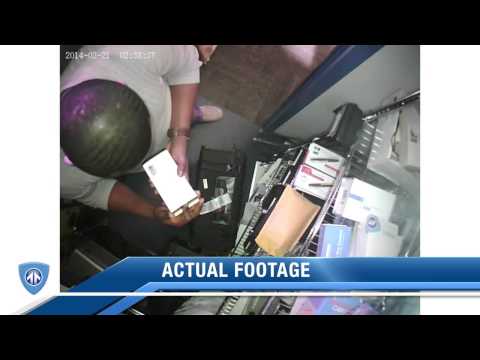
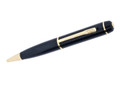


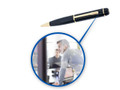





The WriteShot is an unassuming, sleek pen that twists to write flawlessly, while a simple click of the top button allows you to capture a snapshot, or start an audio or video recording. Pictures captured by this covert writing utensil are as clear as most top-of-the-line smartphones with over 12 megapixel resolution and video can be captured at TV quality 720p HD resolution.
The long-lasting battery provides up to 75 minutes of video capture on a single charge and even the smallest microSD card option of 8GB is enough to store up to 40 hours of audio recording! Your recordings can be set to include a time and date stamp, making later review when plugged into your computer via USB even easier. The WriteShot HD proves once again that the pen truly is mightier than the sword.
Brand: BrickHouse
SKU: PENRECORDER
In The Box
HD Hidden Camera Pen (w/ Built-in USB plug)
USB Wall Adaptor
USB Wall Connection Cable
User Instructions
Special Feature: A functional pen with a secret camera able to take snapshots & record audio or video
Dimensions: 5.91" x 0.59" x 0.59"
Power: Rechargeable battery / PC charge with USB cable
Transmission: Built-in Recorder
Storage: SD card up to 32GB
Service: No Monthly Fee
Power
Battery Type: Internal (High Performance Li-Ion Polymer)
Battery Capacity: DC 5.0V (280mAh)
Convenience Features
Date/Time Stamp: Yes / Yes
Erase/Protect: (NAND type Flash)
Recording
Media Type/Storage Capacity: microSD up to 32GB
Still Image Mode: JPEG
Still Image Max. Effective Resolution: Approx. 12.2 Megapixels
Still Image Size 4:3 : 12M (4,000x3,000)
Video Format: AVI
Video Mode: 1280x720 (29.97 fps, Progressive)
Recording and Playback Times: 720/30p= 75 min.
Dual Record: Yes (Video/Audio); Solo Audio, Solo Still Image
Audio Format: AVI
Microphone: Yes / Internal
Interface
USB Port(s): Hi-Speed USB arm (USB 2.0)
Imaging Sensor: 1/4" (4.5mm) CMOS Sensor
Effective Picture Resolution: 12.2 MP
Optics/Lens
Focal Length: Still 4:3 (41mm) / Video 16:9 (37mm)
Software
Operating System Compatibility: Windows XP SP3, Vista SP2, Windows 7 and Up/2008/2003/2000; Mac OS X10
rated this product.
-
Jul 18th 2020
Product Review
Haven't used in field yet but testing looks good so far.
-
Apr 23rd 2019
Product Review
It's very handy and great quality. The customer service was good and quick response
-
Apr 19th 2019
Product Review
Doesn't seem to work to well
-
Apr 10th 2019
Good
Works well
-
Mar 20th 2019
Camera Pen
Works as advertised and fits the bill for our training needs!
-
Dec 28th 2018
Product Review
The product seems imminently suitable for a process server, or anyone needing the protection of verification of delivery. I would recommend it as a very worthwhile item to have in the "tool box&… read more
Frequently Asked Questions about the 140-Day Magnetic GPS Tracker
How long can the battery last?
The Spark Nano GPS Tracker has a built-in battery that lasts 14 days on standby and 7 days while tracking (based on 1 hour of movement per day at a 1-minute tracking interval). With the extended battery, you can add up to 4 months of additional battery life. Changing the reporting frequency, like reporting every 5 minutes, can extend the battery life.
How do I attach it to the car?
Simply insert the Spark Nano into the magnetic, water-resistant case, adhere it in, on, or under a vehicle and you're ready for discreet vehicle tracking. Learn more about where to place a GPS tracker.
Can I track the device on my cell phone? How do I track on a mobile device?
You can easily track your vehicle with our free app, available for download on iOS and Android devices. Click here to get the app.
What is the range of the tracker?
Our GPS trackers connect to 4G networks, allowing you to track it across the US, North America, and countries across the globe.
Do I need a SIM card or sign up with a cell phone company to use the tracker?
No, you do not need a SIM card or to sign up with a cell phone company as the BrickHouse Security service plan includes cellular service and SIM cards.
Is there an activation fee?
No, there is no additional fee for activation.
Do you offer discounts for multiple units?
Yes, volume discounts are available! Please call us for more details.
How much is the subscription fee?
Monthly plans start at $29.99. Additional savings of up to 30% are available when you sign up for quarterly or annual billing. See the Service Plan tab for all plan options.
Why is there a subscription fee?
Our GPS trackers use cellular connections to gather and transmit location data to our cloud servers. Once received, you can access this information from any device. Essentially, our trackers come with built-in cellular service for location transmission, and your subscription covers both the cellular data service and the cloud software needed to access your tracking data. Learn more about how a GPS tracker communicates.
Why is cellular service needed for a GPS tracker?
While most GPS trackers use satellites to determine their location, they must use cellular service to report their location information back to the user. For tracking in rural areas without cellular coverage, we recommend exploring our selection of Satellite GPS trackers.
Can I cancel the service anytime? Is there a contract?
Yes, you can cancel the service at any time. There is no contract involved. You can call us at 800-654-7966.
Can the device send text message alerts when movement is detected?
Yes, you can set up text or SMS alerts based on speed so that you will get notified when the vehicle starts to move.
What types of alerts does this device send?
This device can send text or email alerts when the speed exceeds a preset limit, when the SOS button is pressed for panic alerts, for low battery alerts, or when it enters or exits a particular zone or geofence. Learn more about GPS geofences.
Does this tracker work internationally?
This tracker functions internationally, covering North America, including the U.S., Canada, Mexico, and countries worldwide. Coverage options are available based on the selected plan. For more details, you can visit the Service Plan tab.
Can I monitor my vehicle, gear, or loved ones while I'm away on vacation?
Yes! All our GPS trackers offer remote monitoring through dedicated mobile and web apps, so you can check real-time locations, receive alerts, and view movement history—no matter where you are. Whether you're at the beach or out of the country, you'll stay connected to what matters most.
Can GPS trackers handle hot summer temperatures or outdoor environments?
Absolutely. Our trackers are built to be durable and reliable in a range of conditions. Devices like the Spark Nano with magnetic case and the EON Odyssey are housed in rugged, water-resistant enclosures. They can withstand the heat, making them ideal for summer use on vehicles, trailers, boats, and gear exposed to the elements.